Inside the product
Your business. In motion.
Appointments or projects. A website to welcome them, a place to work with your team and a history to take care of every client.
Explore the features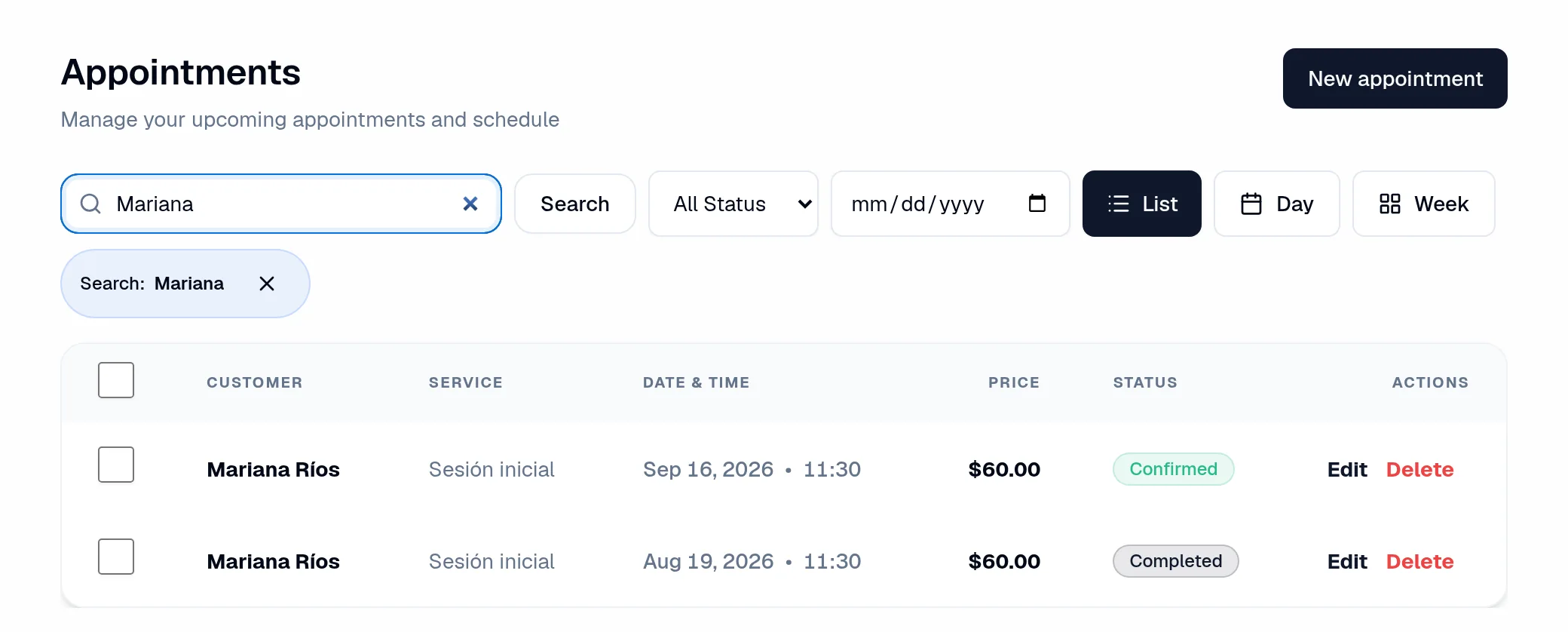
My Site
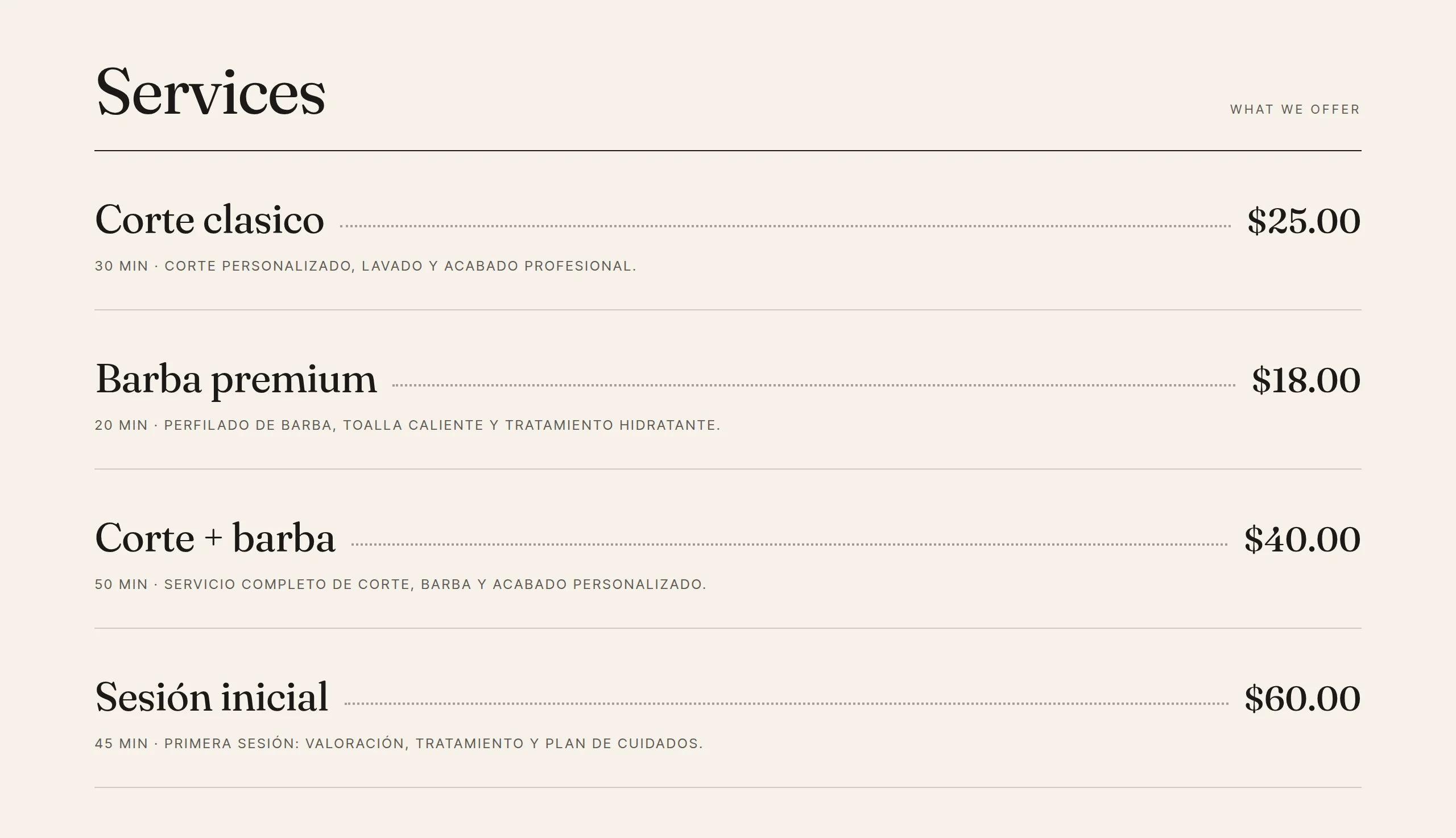
A website that leads to your business.
Present your services, prices, professionals and photos. Adjust the design in the editor and share an address where clients can take the next step.
- Edit content, colors and your visual identity.
- Publish your service catalog and prices.
- Share your website by link or WhatsApp.
Schedule
Every appointment has a place. And a context.
View requests and appointments by list, day or week. Find the person, service, professional and status without searching through separate conversations.
- Create and manage appointments in your schedule.
- Set your rescheduling rules.
- Enable appointment reminders by email.
Team
Availability starts with people.
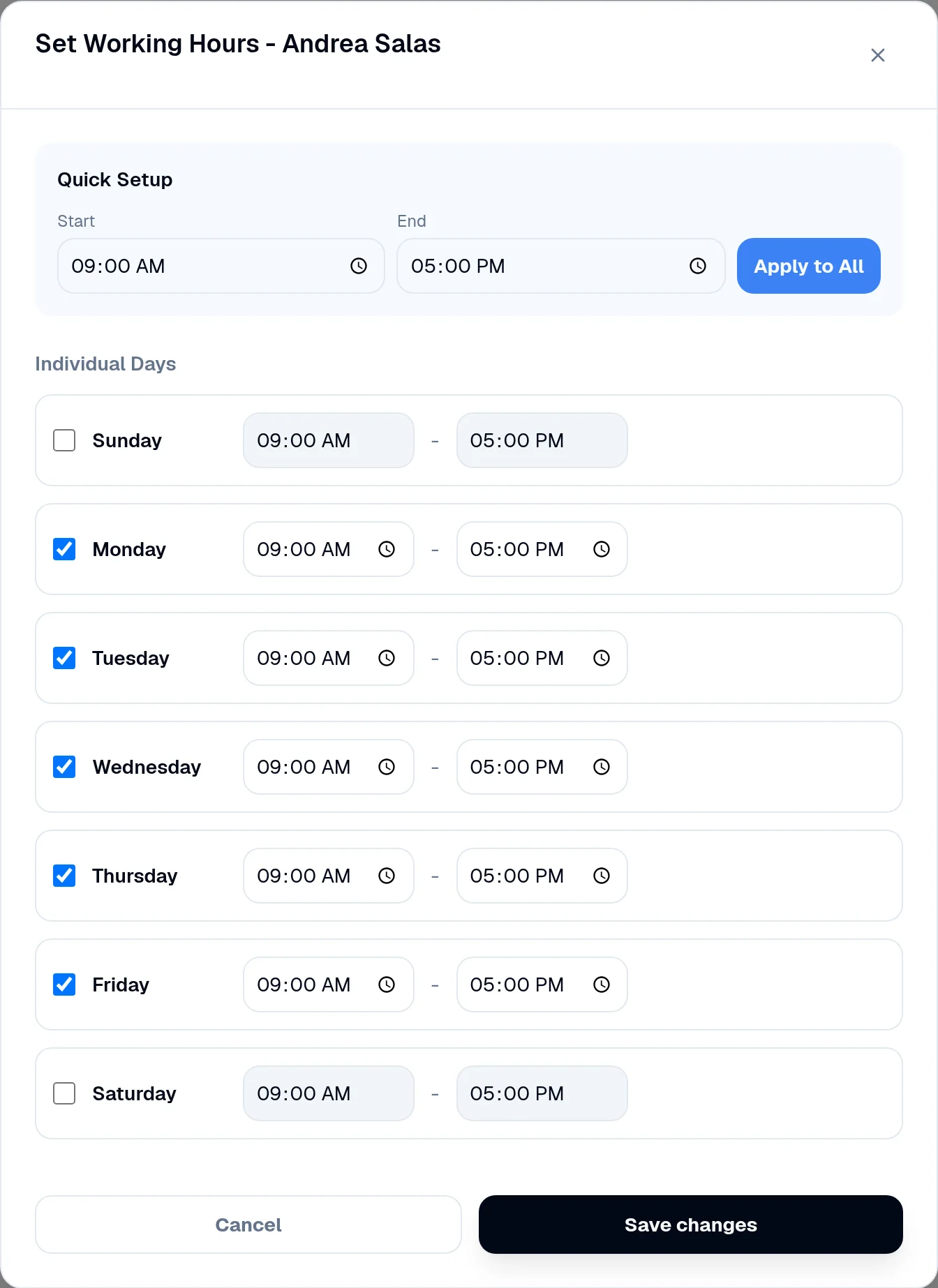
Organize who works, which services they offer and when they are available. Each professional has their own access and a schedule connected to their work.
- Assign services and working hours to each professional.
- Check each professional’s working hours.
- Separate access for administrators, professionals and clients.
The number of professionals and locations depends on your plan.
Clients and portal
The next visit doesn’t start from scratch.
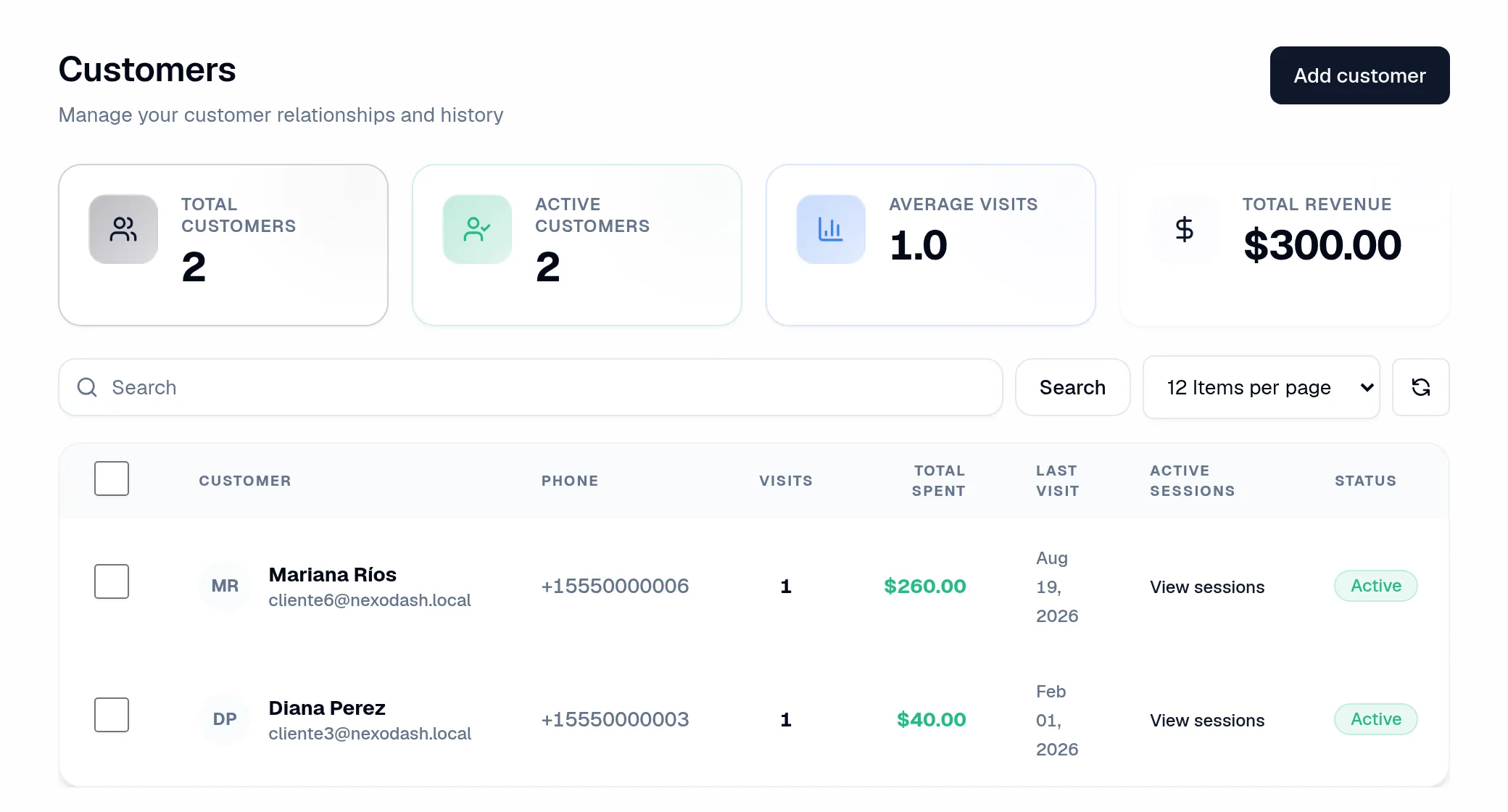
Keep each client’s history. In their portal, clients can view appointments and manage changes according to your business rules.
- View visits, spending and history in the client profile.
- Find contact details and previous appointments.
- Give clients access to upcoming visits, past visits and packages.
Packages
A session program, with the balance in sight.
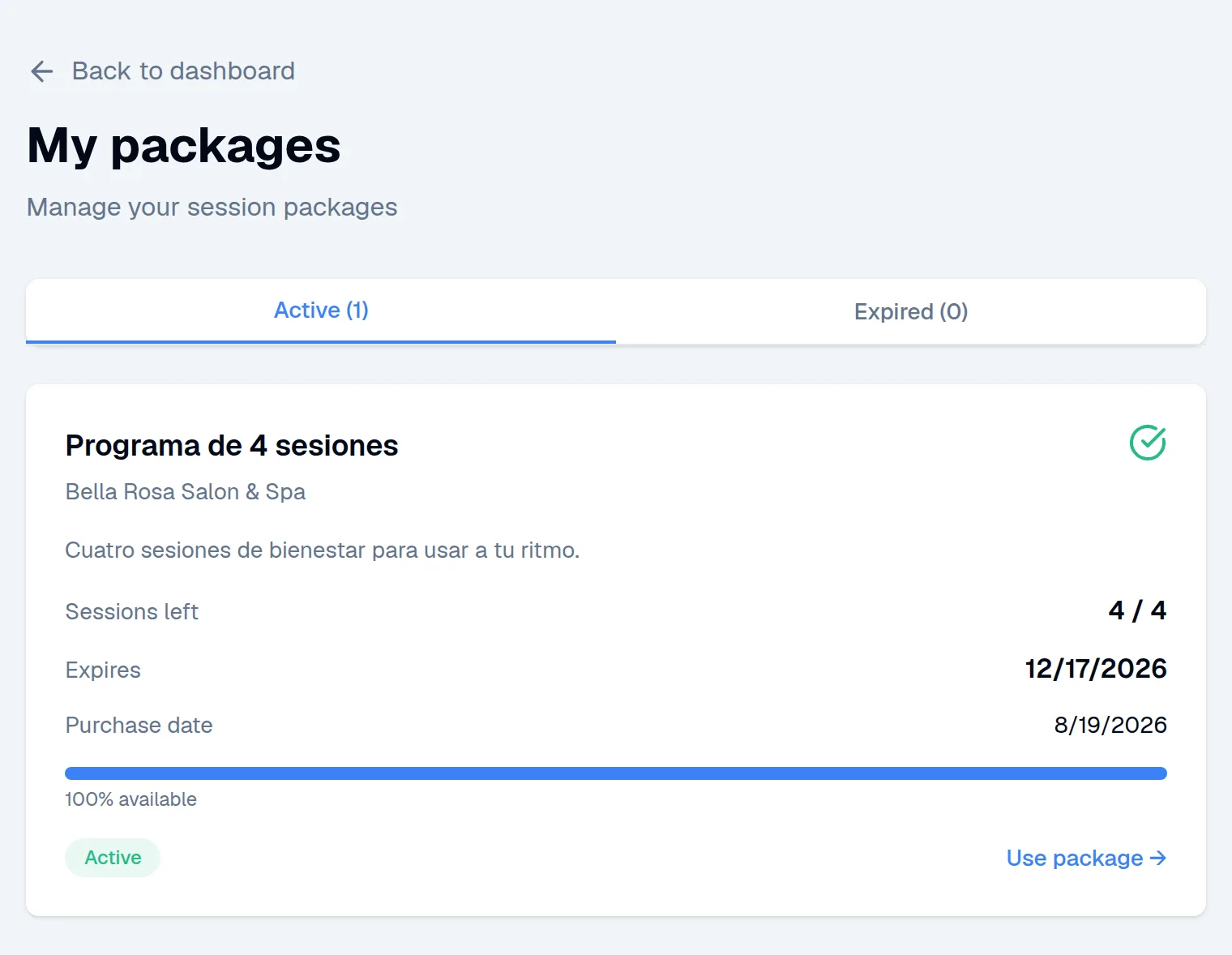
Create packages for recurring services. Record the purchase and track remaining sessions and their expiration date.
- Set the number of sessions, price and expiration date.
- Record payment received at your business.
- Let clients check their balance in the client portal.
Package sales are recorded manually; this is not an online package checkout.
Results
See what happened. Decide what comes next.
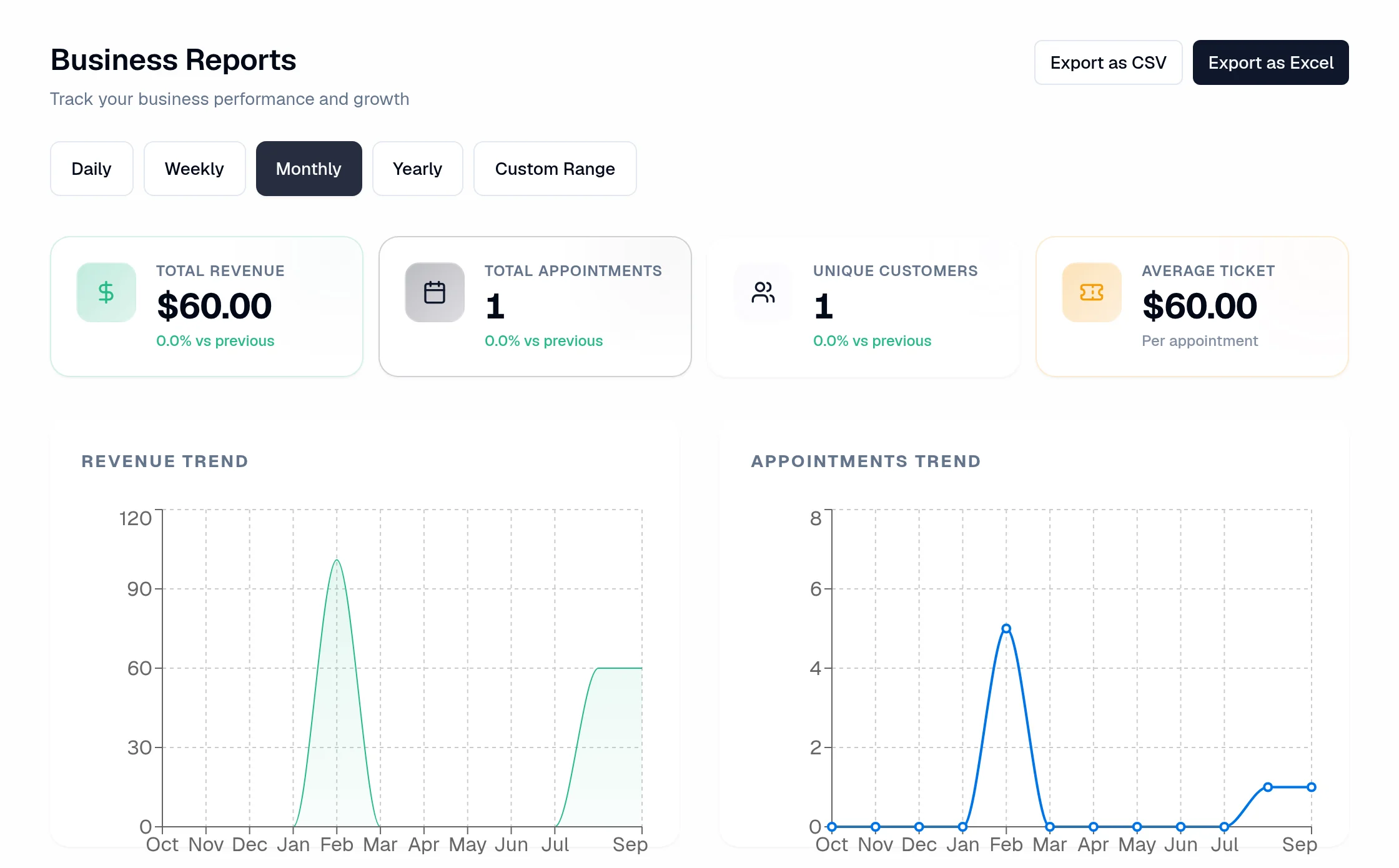
Review your business activity by period. Check revenue, appointments, services and professionals using the data recorded in NexoDash.
- Filter reports by date range.
- Review activity, revenue and cancellations.
- Export results to CSV or Excel.
Projects
Some jobs start with a request.
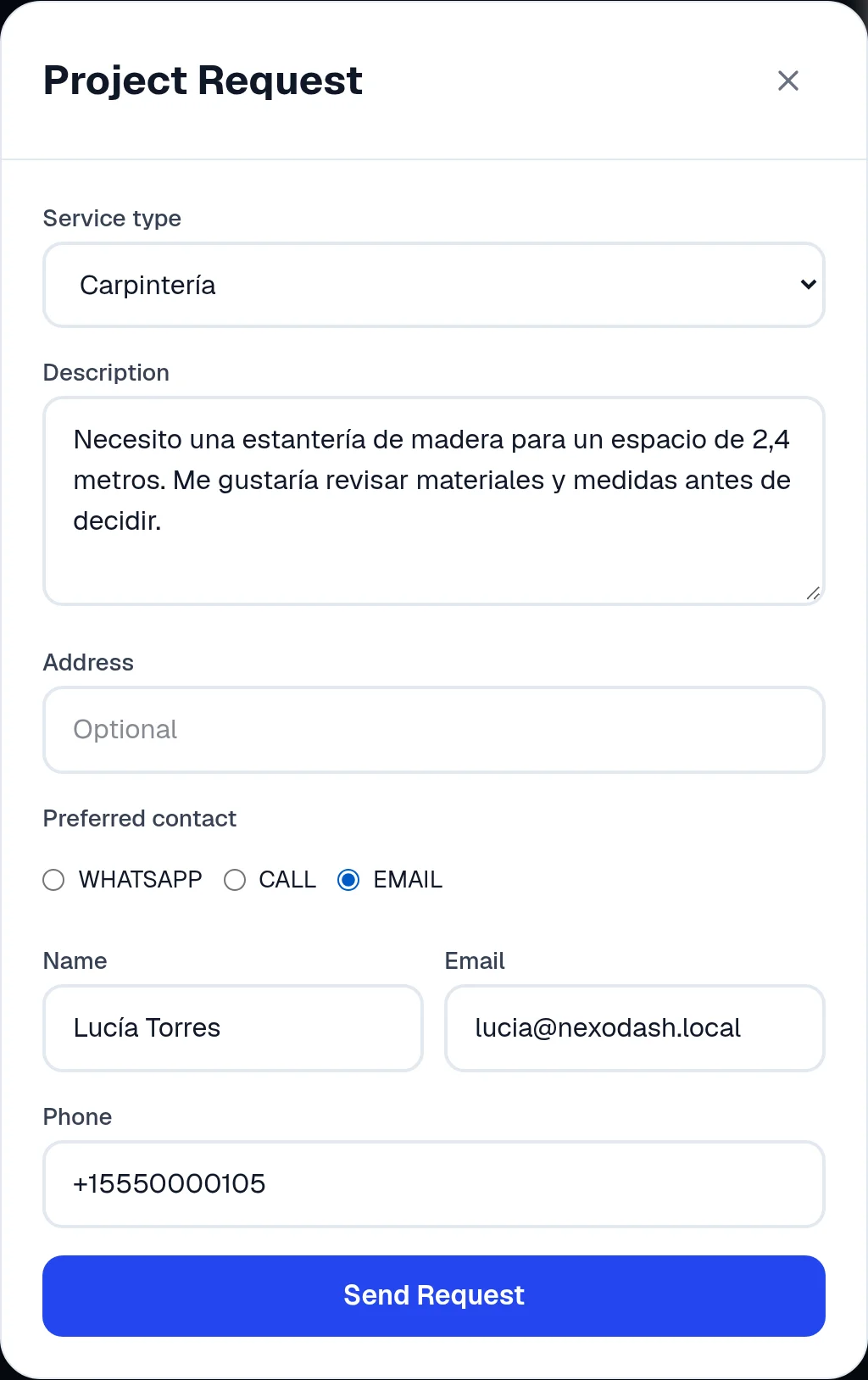
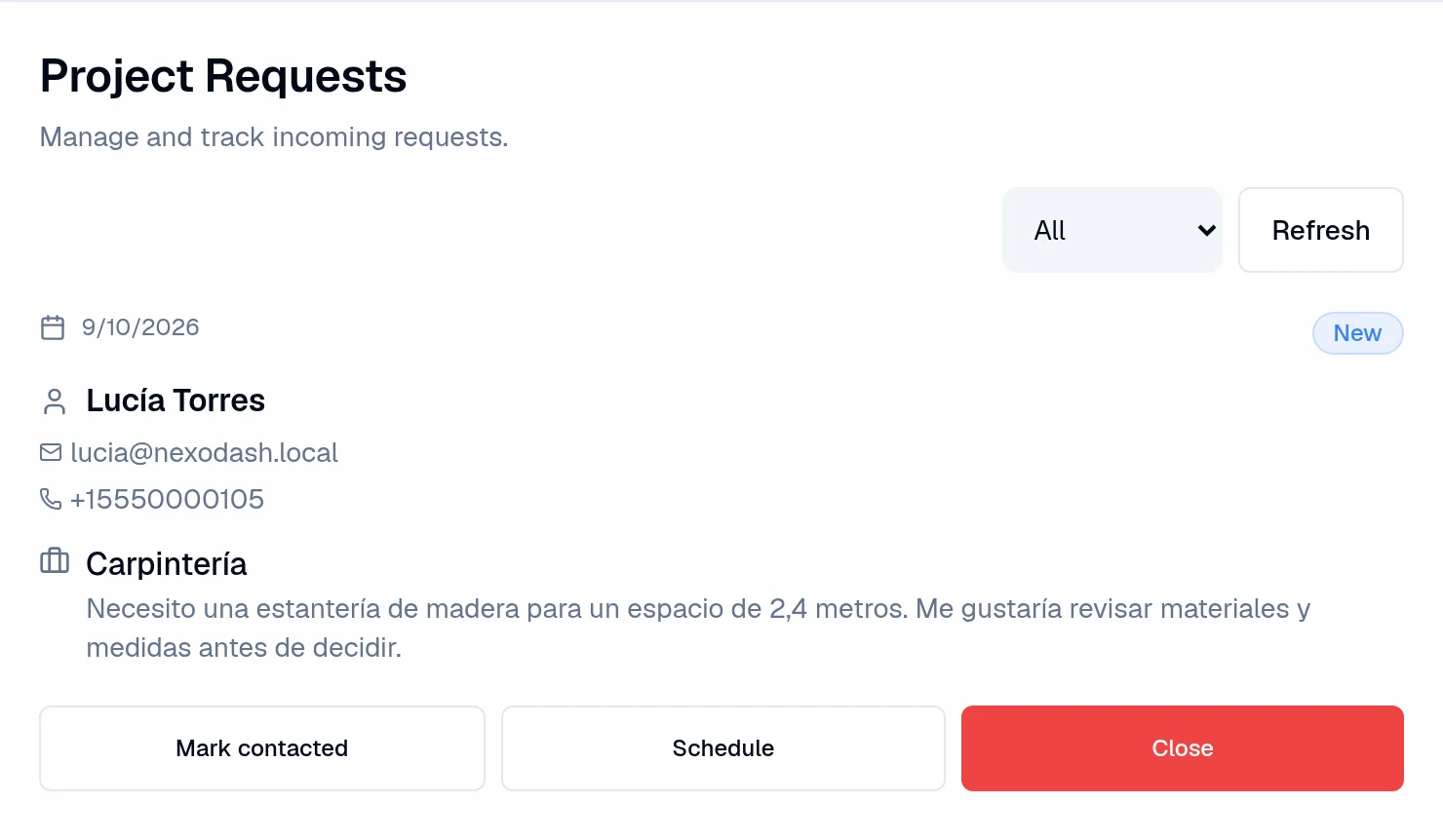
When you need to understand the scope before agreeing on a date, the Project flow collects the client’s request so you can review it and follow up.
- Present services that need a conversation first.
- Receive requests from your public website.
- Keep a project request distinct from a confirmed appointment.
Booking and Project are separate flows, chosen when you set up your business.
The client shares what they need
Your business receives the request
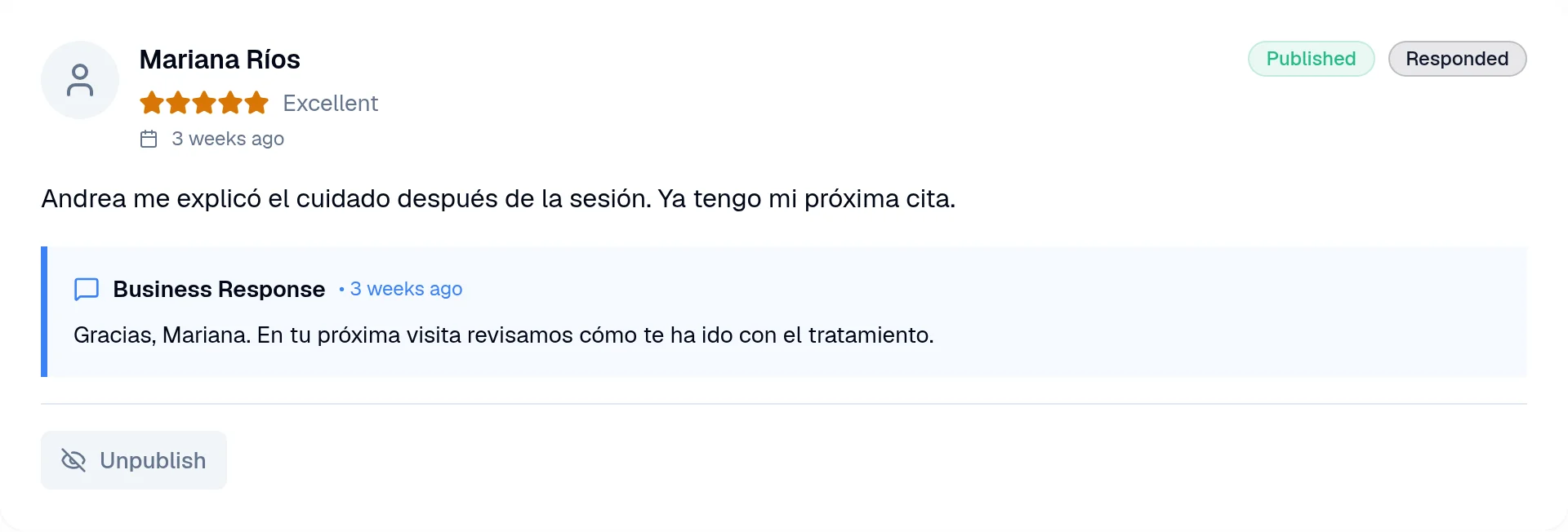
Reviews
The conversation continues after the visit.
Read your clients’ experiences, reply from NexoDash and choose which reviews appear on your business website.
- Read ratings and comments.
- Reply from your business dashboard.
- Manage published and pending reviews.
Notifications
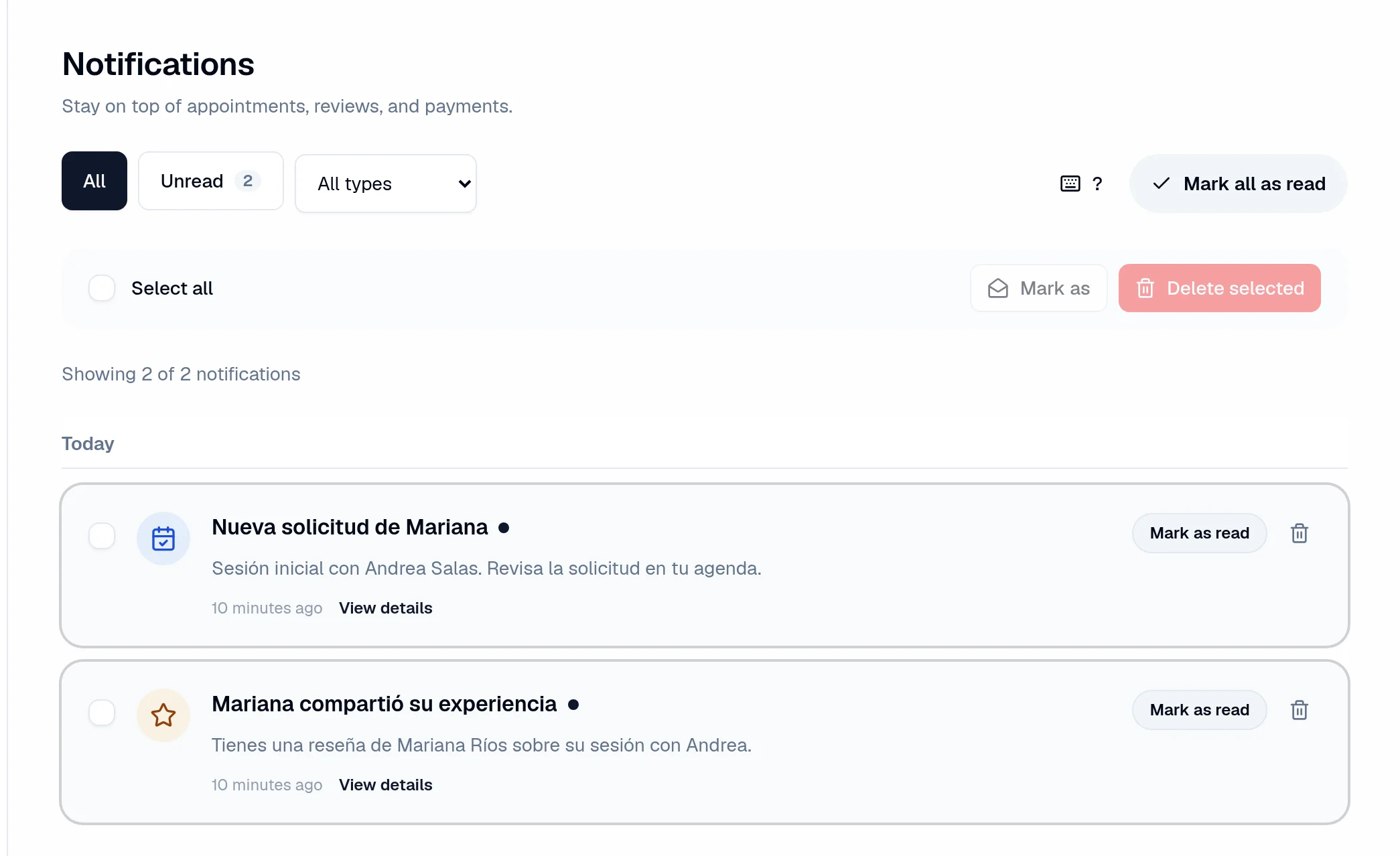
See what needs your attention.
Keep your business notifications in one place. Open the related appointment or review and see what you’ve read and what is still waiting.
- Filter by type and read status.
- Open the related action from a notification.
- Configure your business notifications.
This screen shows notifications within NexoDash. Email reminders depend on your settings and the client’s preferences.
Your daily work, included.
NexoDash does not charge a booking commission. Online deposits and payments require a connected Stripe account; payment processing fees apply.
Compare plansStart freeYou’ve seen how it works. Try it with your business.
Create your account, choose your way of working and publish your first services.